Just in case it’s related to the problem, I blew a cap a while ago on a 75100 and the symptoms were roughness/cogging/loss of power when throttling hard. You could accelerate very slowly but as soon as you put more than a tiny amount of power in it would start acting up. Found out what was wrong after I took it apart and saw a clearly broken/bulging capacitor with fluid leaking. It might be possible that capacitors could fail without visible signs? My failure was very likely due to trying to run it at too high a voltage but I doubt that would be an issue on an efoil.
Yes, possible.
The 75100 V2 is sadly a step back in design regarding the capacitors compared to e.g. the 75200
There are less capacitors and connected with longer leads. This makes their impedance go up and ripple current capabilities go down.
In short: worse design leads to less resilience to long battery leads or higher-impedance input sources
Hi Guys
All interesting things you are saying.
My battery leads are about 260mm from battery BMS to solders in Vesc.
A little hard to get much shorter as I have an anti spark lead between to help with that scenario.
The main difference may be the fact that I run a 3m 2.5mm2 phase cable between the Vesc and the motor. Maybe this is causing some problems. Thoughts please?
As shown in the RTD. It seems that my general amp pull when travelling is around 20-30 amp’s depending on wave and wind conditions and spiking to the 101.4 at some point. Unfortunately a bit hard to check the controller for amp reading when trying to get up to see why the draw is during that stage of the process.
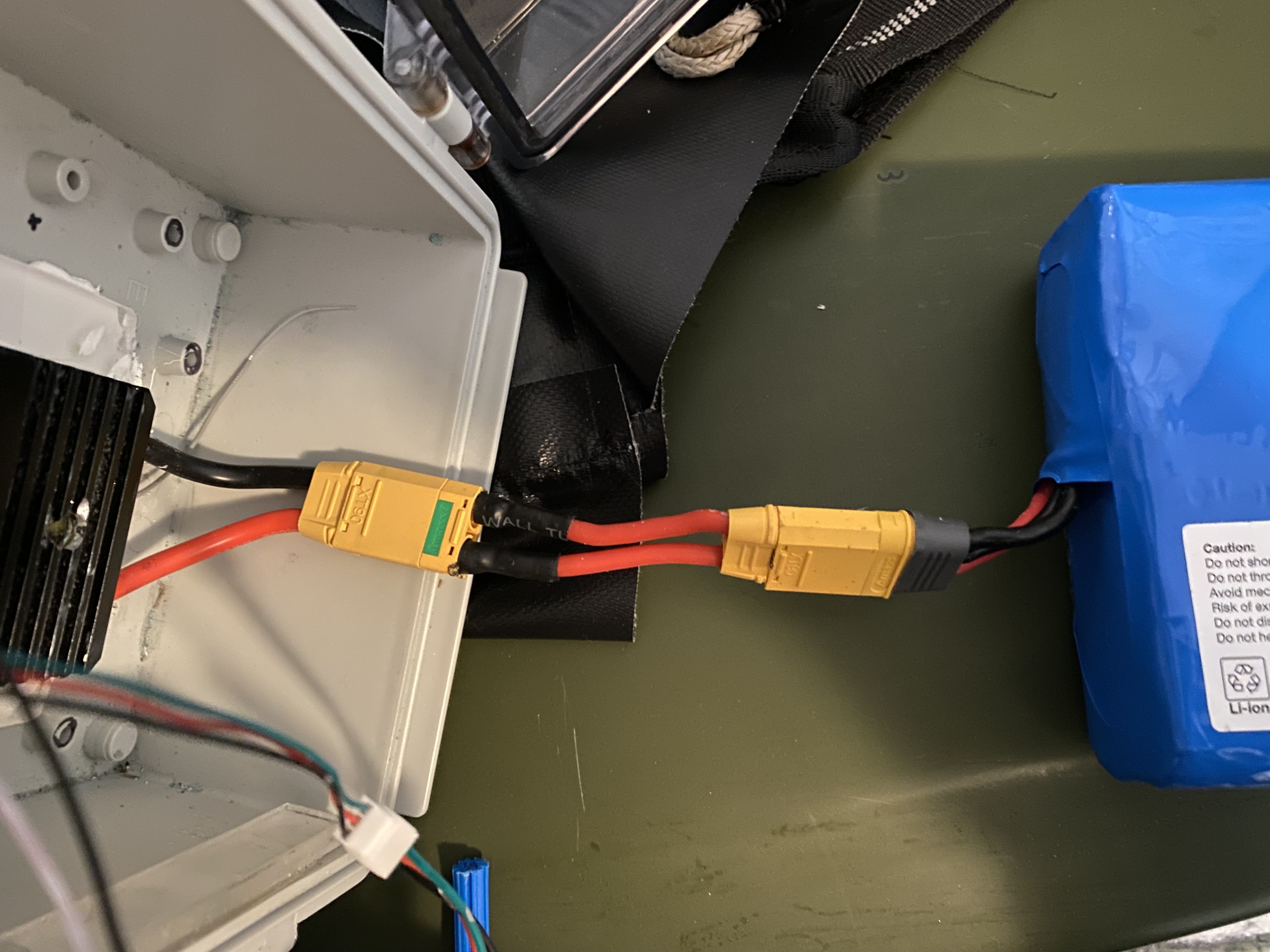
I’m using a 75100 in a small box and need to disconnect the capacitors and solder short leads to allow it all to fit. Would it make sense to replace the capacitors that come with the 75100 and use more/better quality capacitors. Would appreciate advice on number and type, Thanks all 
2 Likes
Yeah I would say the BMS inside the battery may be to blame, in case it briefly disconnects or has generally high impedance it can cause to voltage spikes killing the VESC randomly
Generally bad idea
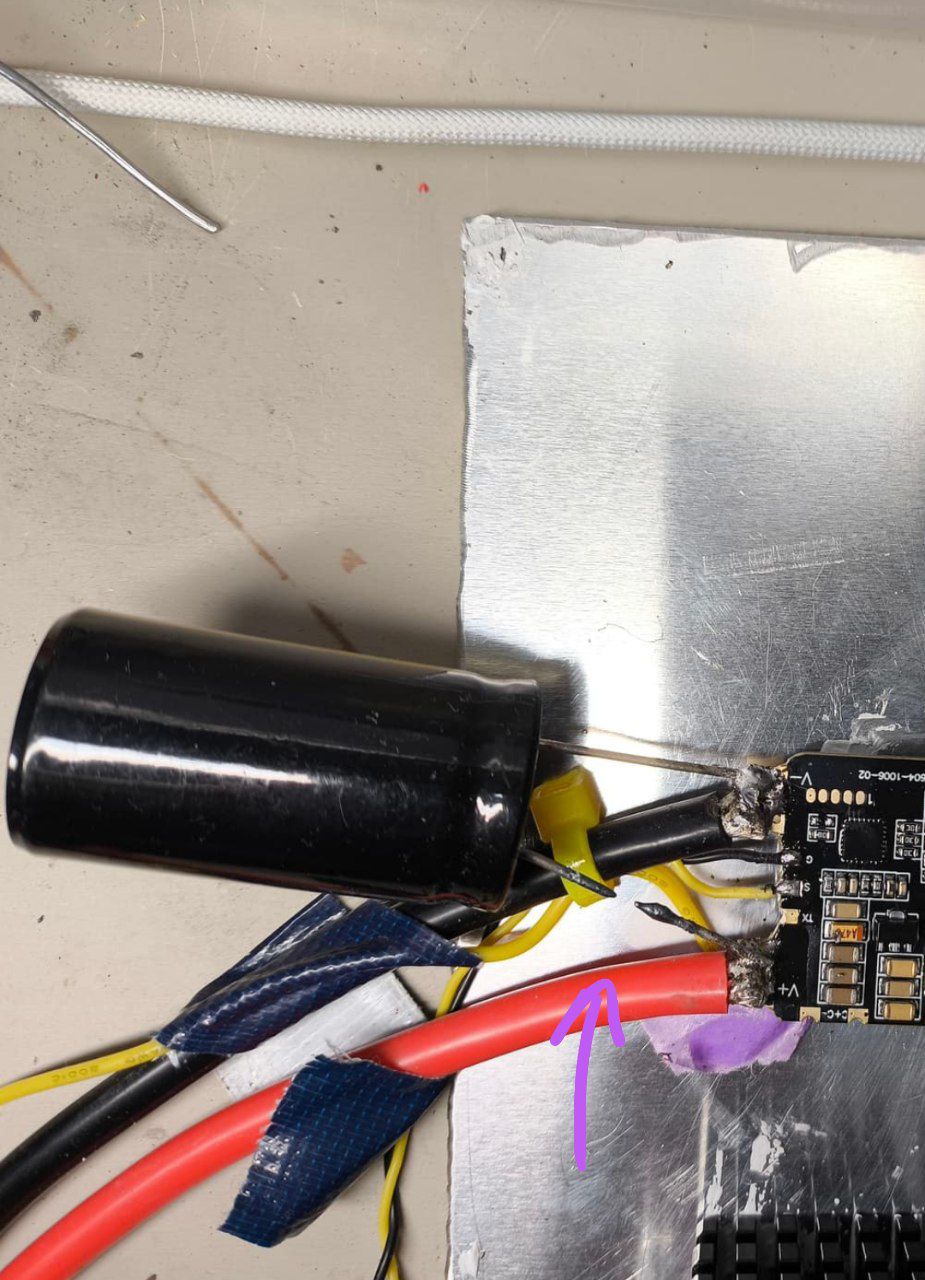
Here an image of the last person that elongated the capacitors leads / changed the capacitor (notice the wire just melted away because of the high ripple currents)
If you really wanna do it, take the same type as the original ones and just double it or so. Do not make the capacitors leads much longer than 20mm or so
2 Likes
Sorry my mistake BMS only in line when charging the battery. Battery usage not via BMS.
Hi All
Well I have blown another 75100 this morning. This time I had the max amps set down to 87 and saw a max of 102 amps with averages of 20-30 amps.
Basically it cut out once about 3 days ago and then worked faultlessly for the next 3 days with a few double sessions in those 3 days. Then today cut out and never recovered. Tried to reset back on the beach and heard the death fizzle and disconnected the battery asap. I haven’t pulled it apart yet to investigate but will do so in the next few days. That was the last of my potted 75100’s. One non potted 75100 to go and have set max amps to 85 and seeing max of 96 amp. Interestingly I have seen more max temp from this non potted Vesc than from my potted ones. In the two short test sessions this afternoon I saw 52.8 and 62.9. Which is the highest temps I have seen to date. Normally run at 48-52 max. If anyone has any clues or questions as to why I keep blowing these suckers up it would be much appreciated.
Did you check thermal paste application for voids or unevenness?
Did you buy all of them at the same time?
I would suggest you create some log files that you can review in detail after your session. Lots of posts here about how to do that and even share here so others can see what’s happening.

Next time I’d try a 75200, and maybe just put in the plugs and cover the whole Vesc in silicon potting material. The ports weren’t covered in epoxy (as I saw in the pictures). Epoxy is a good potting material, but it doesn’t bond well to the cables.
Hi Ludwig
No I haven’t been able to check the thermal past on either the last one or the one I’m using currently. The one that just blew up was potted and installed in box so without taking completely apart and doing it all again (too hard) I couldn’t check it. And current one that I’m using it was also installed in my backup box so unable to access it easily. I will take the blown one apart today and see.
I bought them all at different times and from different places. 2 from Flipsky direct and two from other stores on AliExpress.
I am in the process of getting a 75200 installed. I have checked the thermal paste and it looks to be covering the whole area and well enough to do the job properly.
I have never had any water ingress issues so far (touch wood) so will not pot the 75200 at this stage.
Hi Foilguy
I will investigate RT logging. I wondered whether that was possible. Thanks for the tip.
1 Like
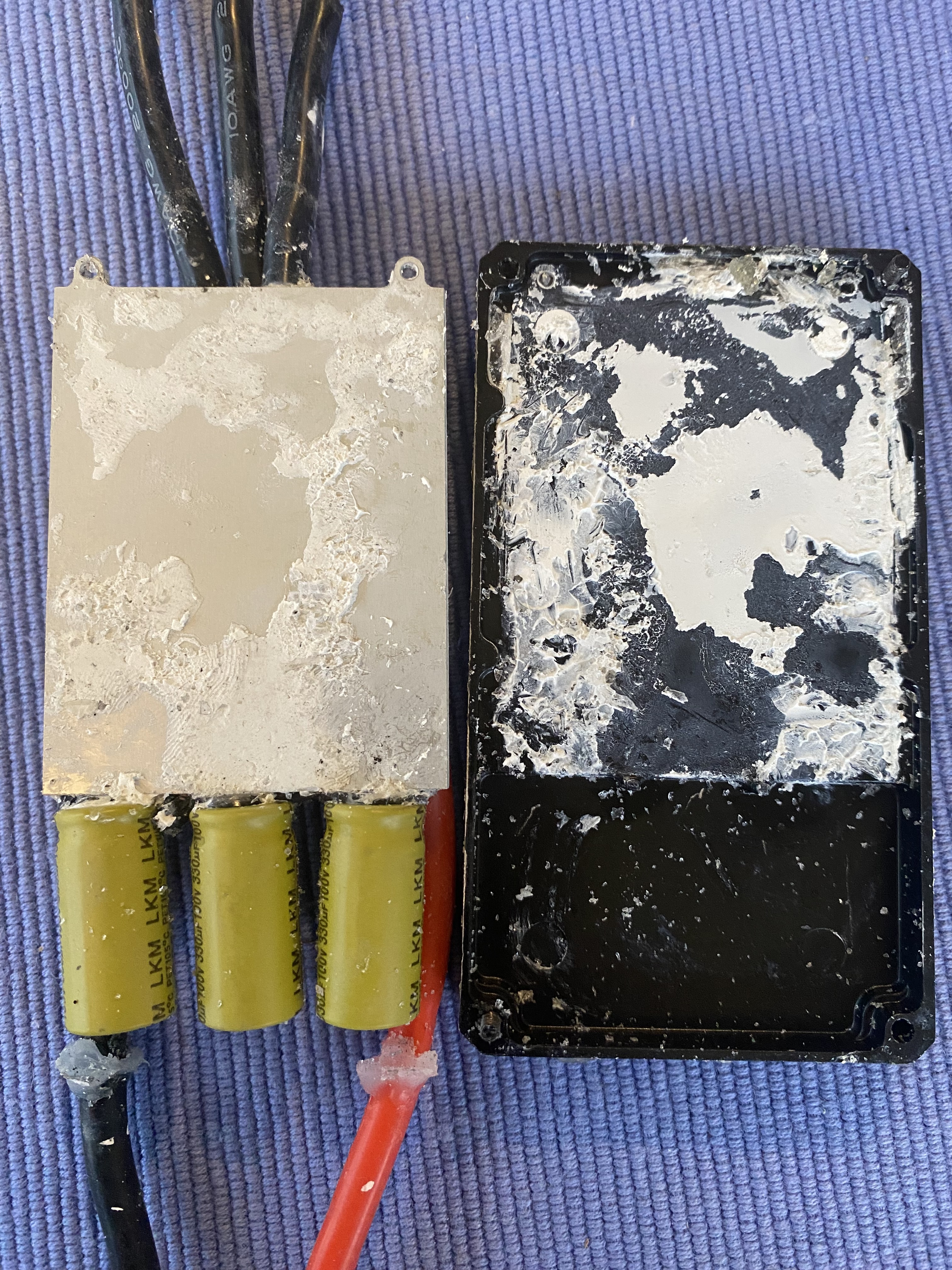
This is the thermal paste from Vesc in the original photos that caught fire and burned. Looks to have covered the whole surface albeit quite thin.

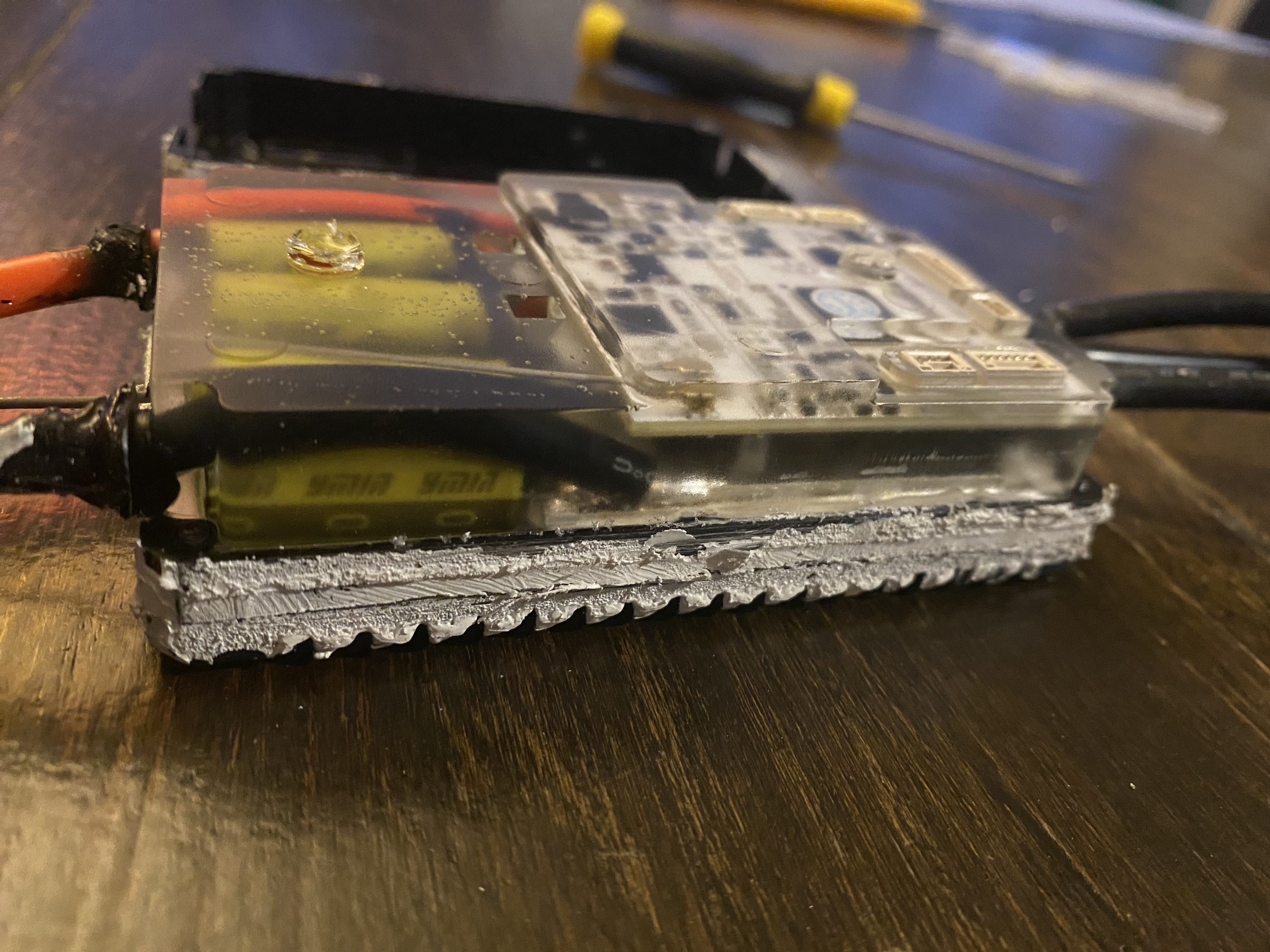
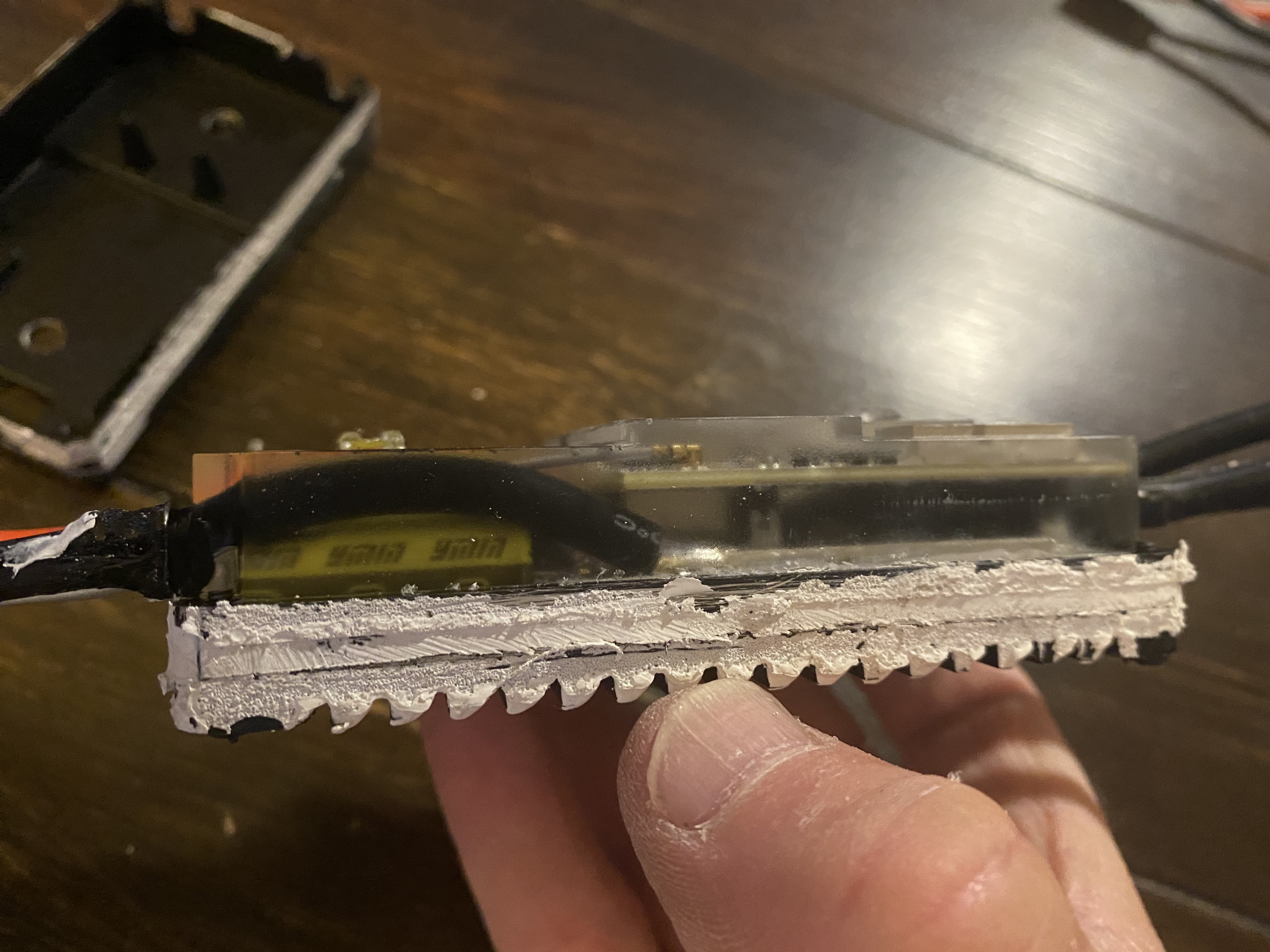
These are photos of my potting under the 75100 cover. Again no water ingress so irrelevant unless it’s trapping temperature somehow.
I will pull all the potting mix off tomorrow and see if there are any visible signs of a fault.
And check the thermal paste.
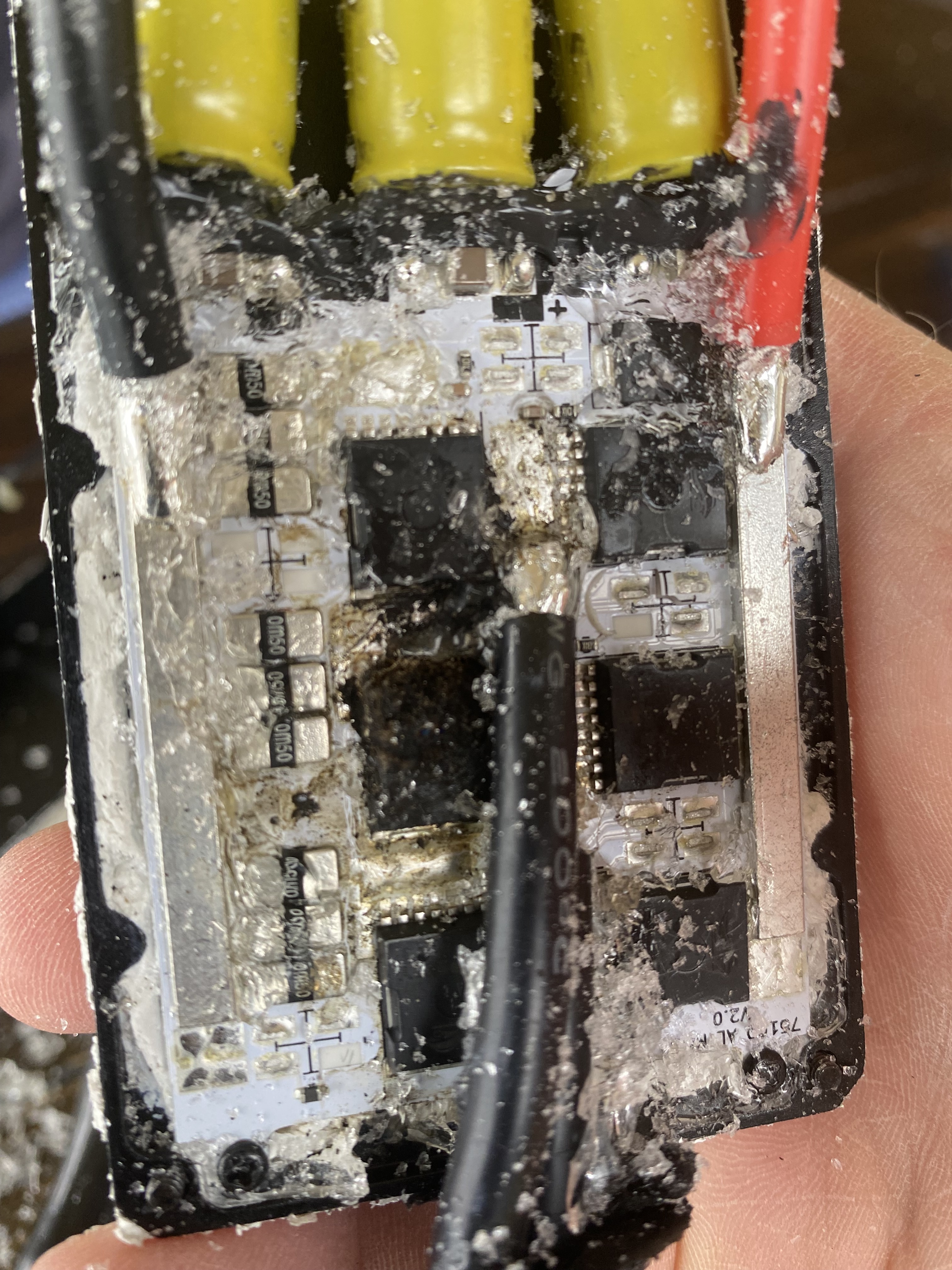
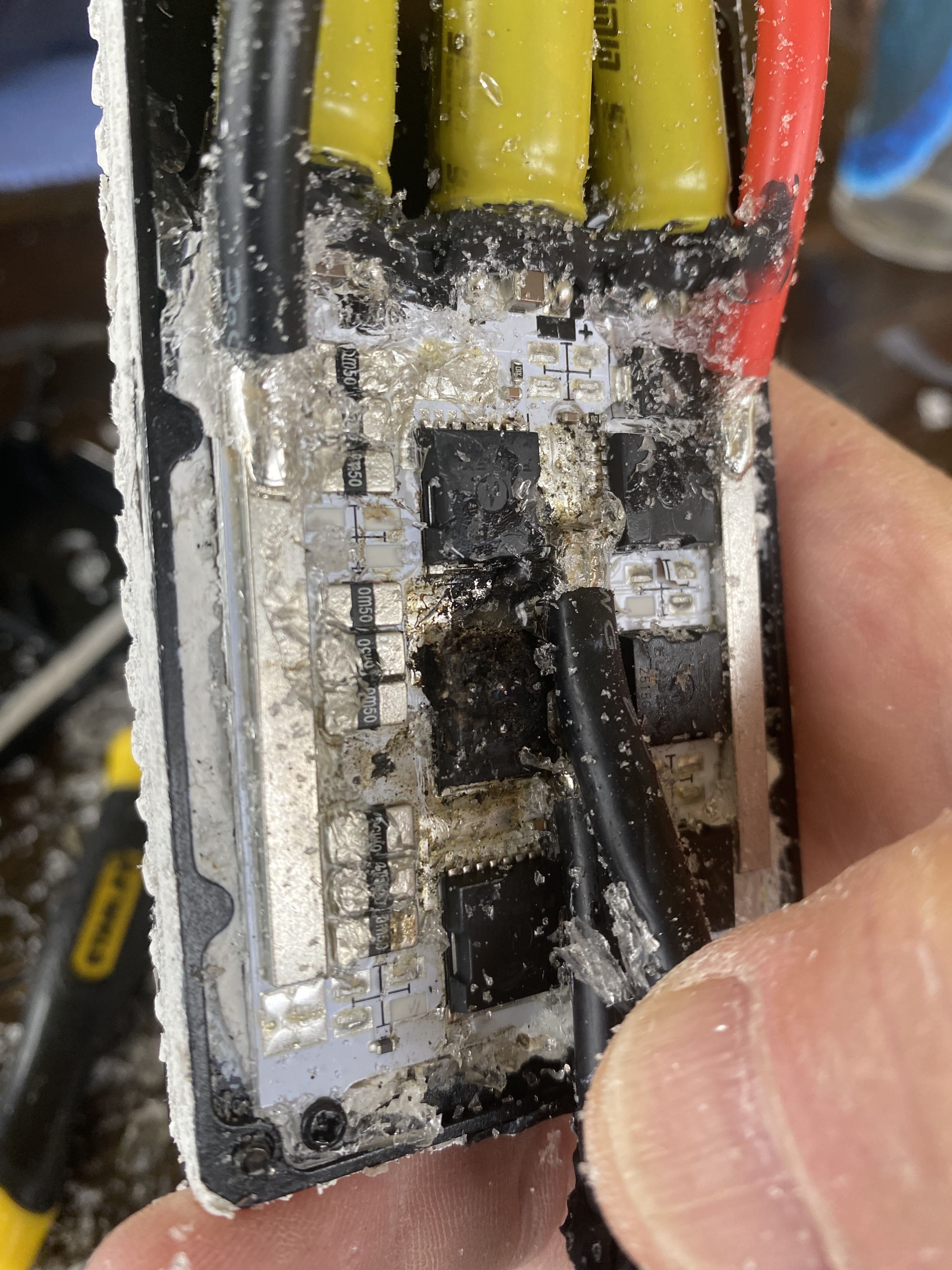

Burnt out MOSFET again. Thermal paste looks ok to me but please advise if not so. Seems to be a bit of a poor design having the three hot phase wires running beside and over the Mosfets.
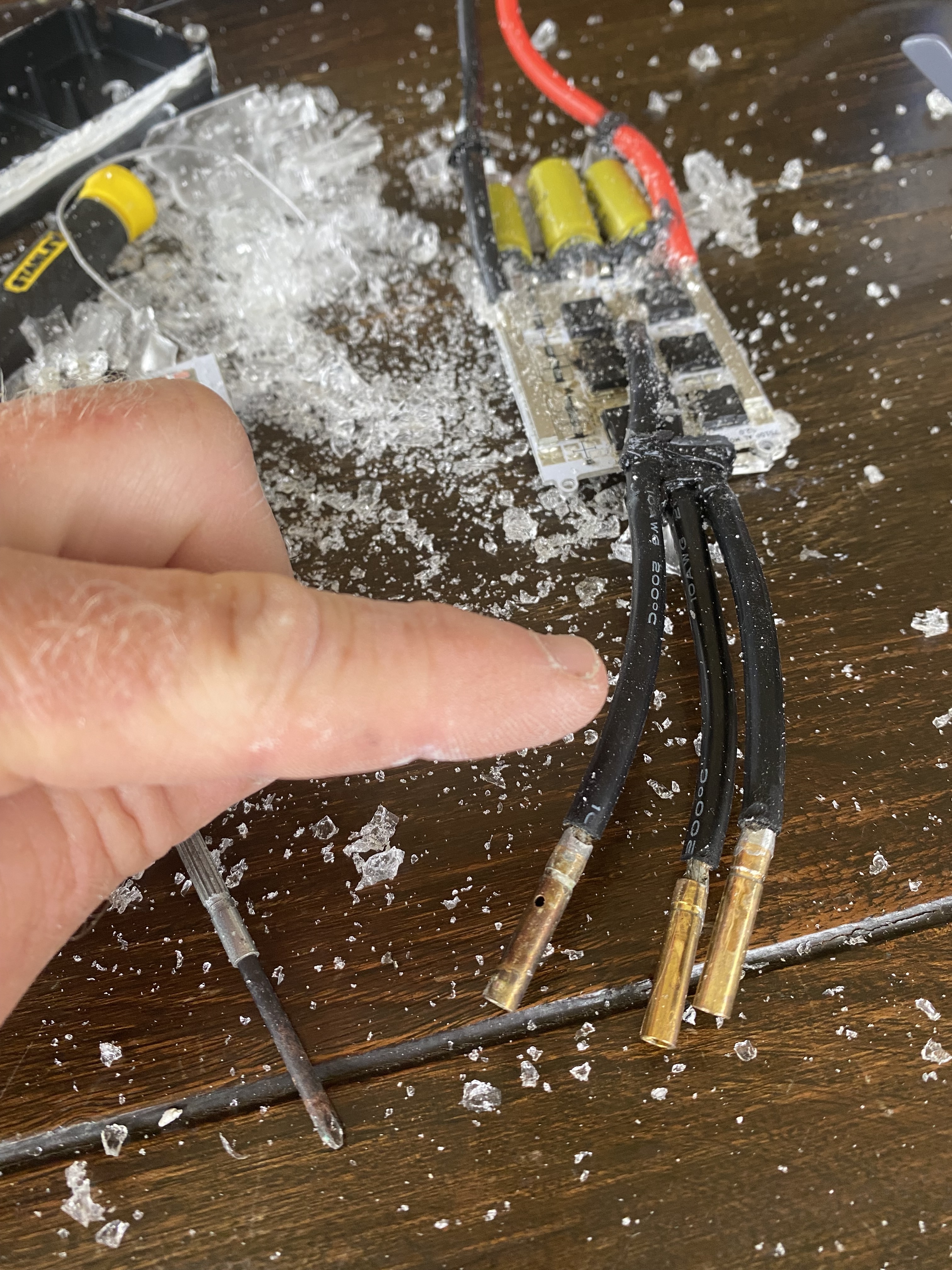
This wire looking the worst of the 3. And it is the one that runs to the centre of the board. So could be a potential issue.
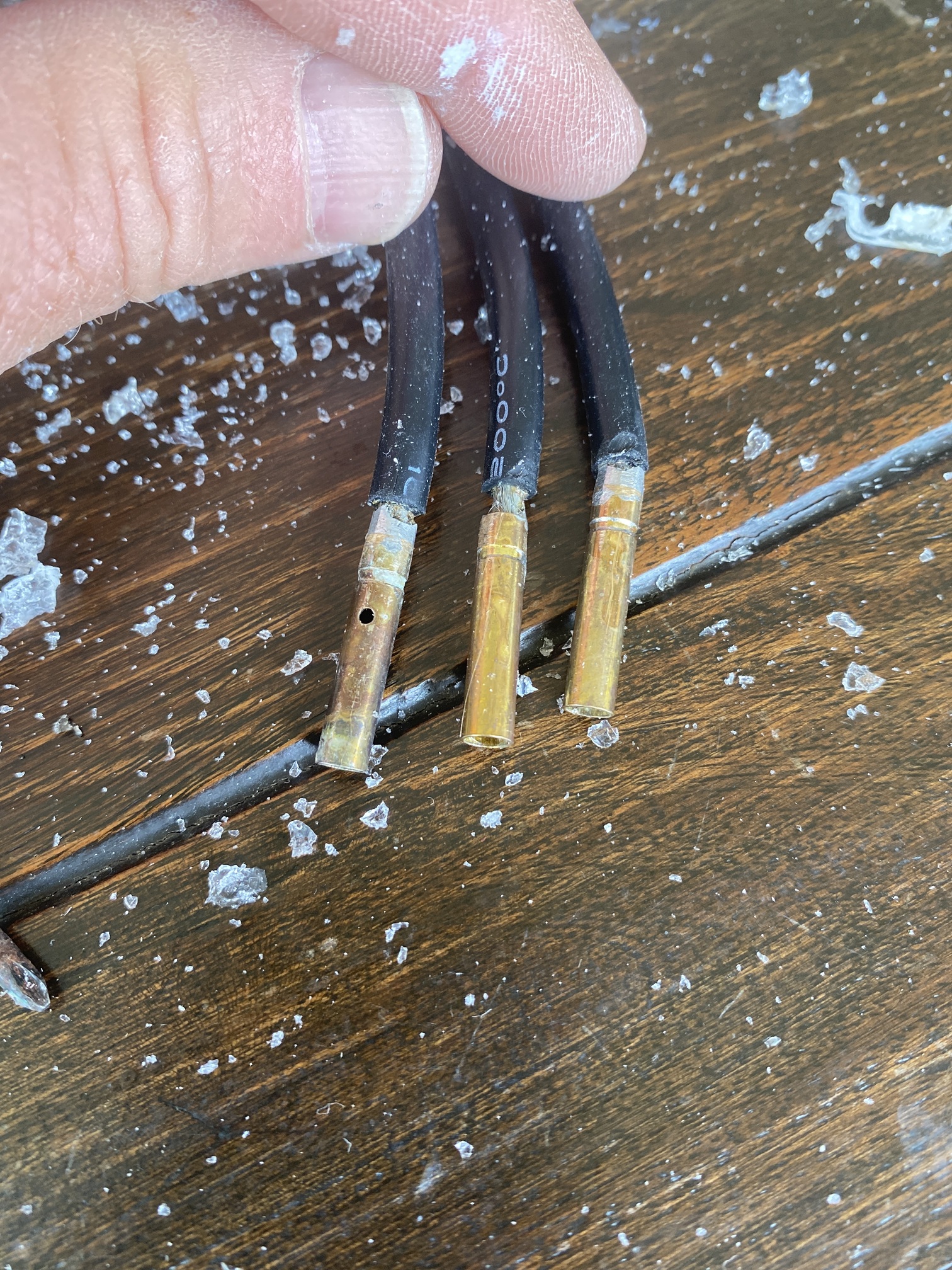
I’d say where the Vesc is getting its mosfet temp readings from is not really the most accurate place. Just my ignorant thoughts.
Any ideas would be appreciated.
I won’t be buying anymore 75100’s that’s for sure.
Is there corrosion on the wires, one shouldn’t look fatter than the others. But if there is corrosion then it would cause havoc with the vesc.