I do not believe this will work for anything older than the galaxy watch 4, but I could be wrong. The Galaxy watch 4 was the first model to use Wear OS. The watch 3 still runs on Tizen OS.
Hi,
I’ve been testing it for the last three days. It works very well. It’s easier to read and more convenient than a phone. The only thing I miss is the motor amperage.
Thank you for your time and effort.
By the way, after a factory reset, my watch is working better (no more freezing or lag between screens).
1 Like
Hi,
this ia exactly what I am looking for.
I downloaded the apk from the google drive to test
but the app is not working on my Galaxy Watch 7.
I dont get the cell-count and scan screen - just the speed is displayed.
Hi StefanG,
Swipe from left to right on the watch face from the data screen to access the cell count settings and bluetooth connection screen. Without the app connected to the VESC it will only show the speed.
Thanks for the quick answer.
When I swipe a white screen apears for less than a second and it goes back to the main screen 
Okay,
I will have to check it then. I recently updated to galaxy watch 8 so I will install it on my watch here soon and try it.
In the meantime, try uninstalling it and installing it again or powering the watch off and turning it on again.
Thanks,
Now after rebooting I got the scan screen. It scans finds the VESCBLE Bridge, finds the UART and the VESC (message: connected to a VESC) but shows no data (stays with the connect screen).
May be my VESC does not answer in the right way?
It is the: Flipsky IP68 Waterproof ESC Electronic Speed Controller Mini FSESC6.8 – FLIPSKY
The VESCBLE Bridge is this one: (GitHub - A-Emile/VescBLEBridge: Add Bluetooth to your Vesc Controller for under 3€)
once connected and going back to the data screen it doesn’t show any info? Just to clarify, I believe you have to navigate back to the Data screen manually after connecting to the VESC. On galaxy watch, I just click the back button once or twice after connecting.
There is a chance you are running a newer firmware of VESC than others, but I am not sure why the developers would change the communication protocols as that would break everything else that relies on it as well.
When I click on the back button I am again in the scan screen
I made a video of the behavior. If You want I can send it pm.
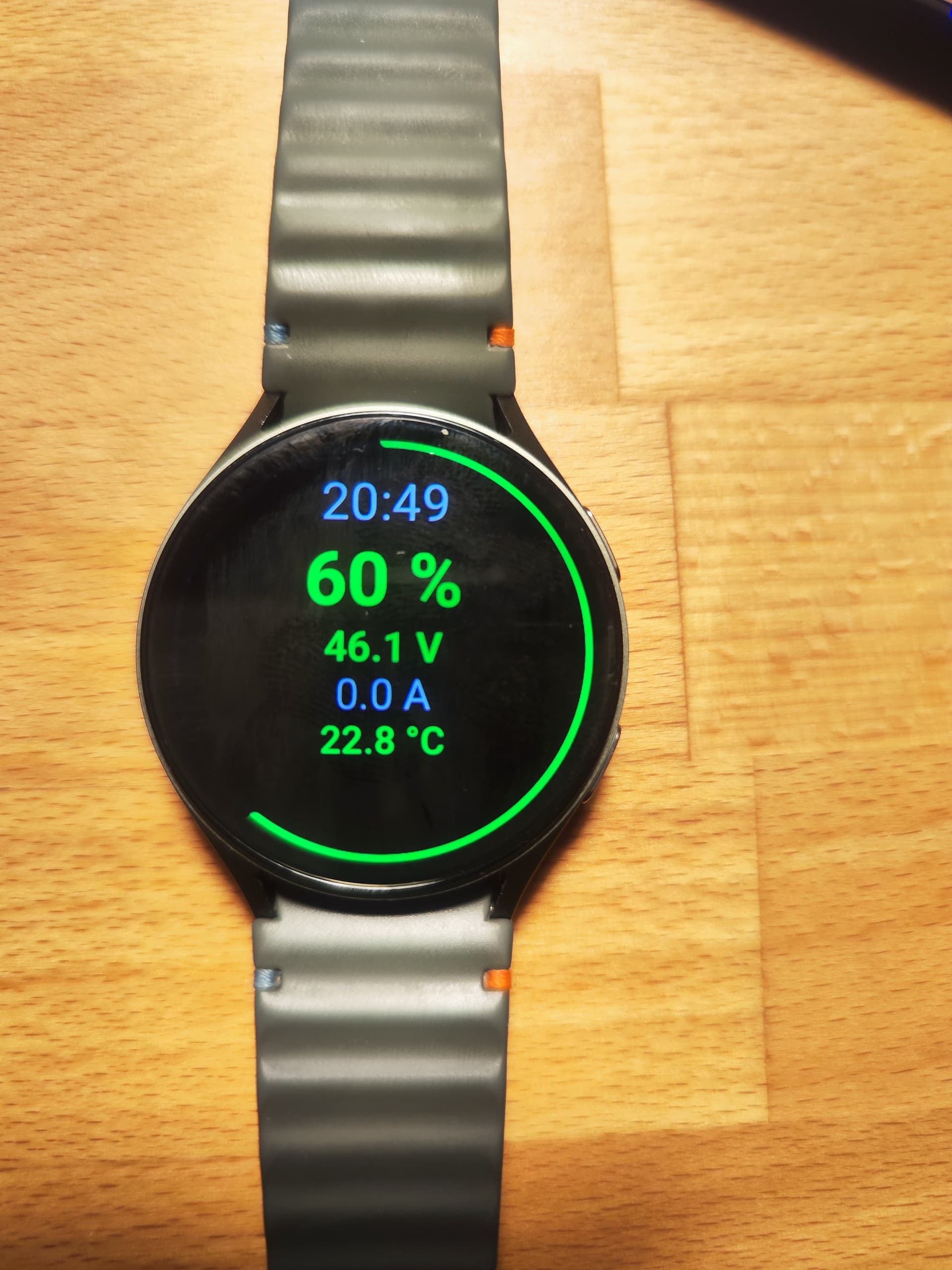
Hey guys, just wanted to share a lightweight Wear OS app I’ve been developing for live telemetry on my smartwatch. It’s built with Kotlin/Jetpack Compose and optimized for round displays.
Key Features:
Live Dashboard: Large Voltage display, Battery Current (A), and FET Temperature (°C).
Battery Ring: A visual 0–100% arc around the edge of the watch face.
Haptic Alerts: The watch vibrates for low battery (<20%) and high FET temps (>80°C).
Quick Action: Tap to disconnect; keeps the UI clean while riding.
Perfect for a quick glance at your wrist while on the water!
What else could be interesting to have it on Your wrist while riding?
watts would be good.