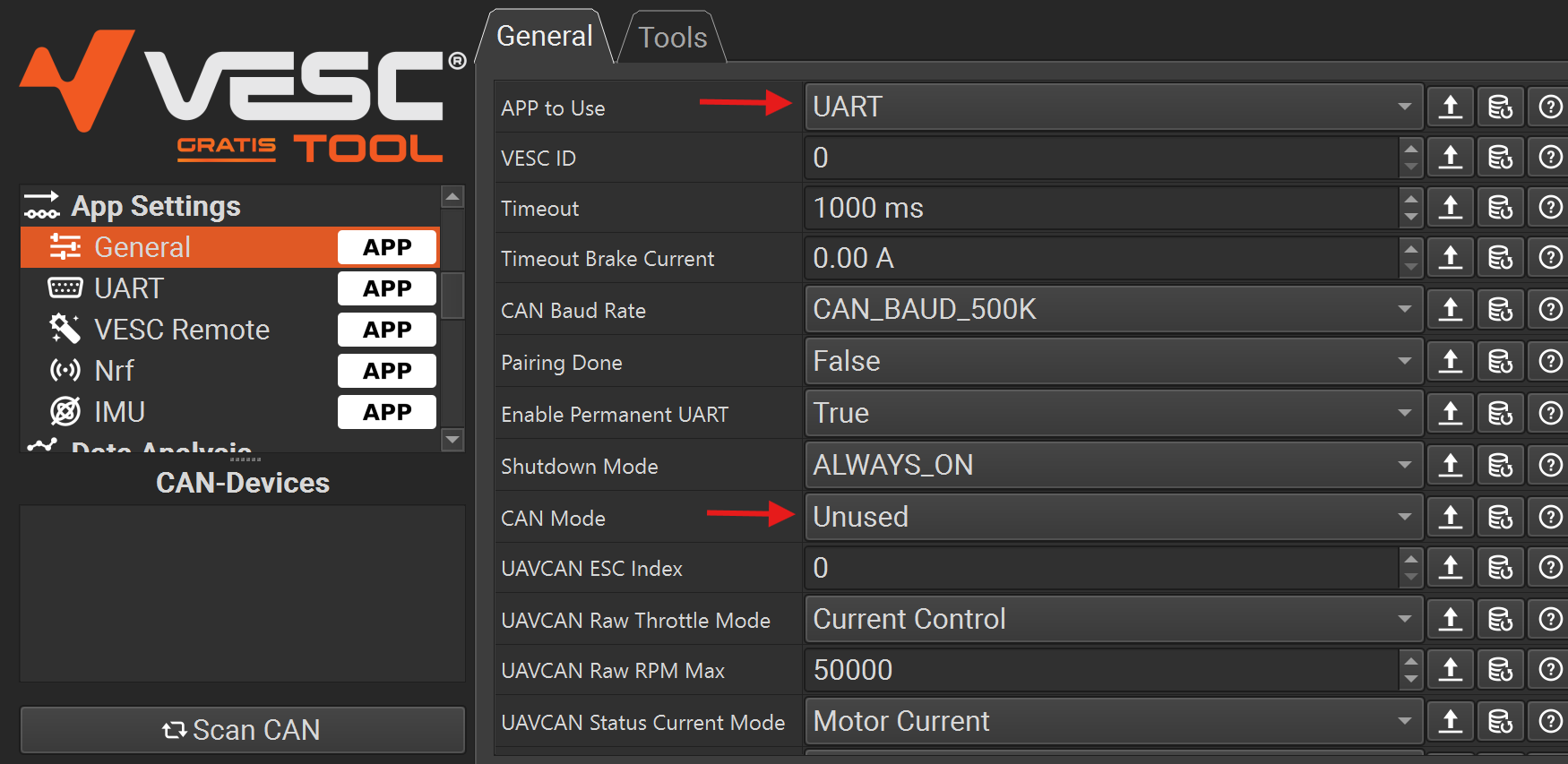
nice ! problem solved, nearly ready to splash this thing … thank you
1 Like
Update:
- Added vibration motor: Will vibrate when error is present 2x every 10s
- Added mode to show battery % on the main display (as numbers) instead of GPS speed
For that set speed_src of Tx config to 4

Update only on Tx needed, Rx unchanged in this version
4 Likes
Does the display change between battery % and speed (3 seconds on bat %, then 3 sec on GPS speed)?
Or does it stay fixed on battery %?
It stays on whatever you chose.
2 Likes
Update:
- Add rf packet collision detection (up to 5~6 riders close together)
(only need to update if you plan on riding with more than 2 people at the same time)
If the remote detects collision in packets it will automatically select a timeframe without traffic (self-healing)
added in mechanics/nano folder
2 Likes
Nice! thank you Ludwig
1 Like
Update:
Improved RF timing allowing more remotes operating at the same time.
Note: This was previously not possible due to a bug in RadioLib: LINK
For all that compile the code themselves: Update to the newest RadioLib straight from GitHub (@monter_man @macfly1202). I highly recommend to take the recent changes into your followme codes so we can ensure there are no “incompatible” remotes with the new collision avoidance.
2 Likes
On upgrades, does this need to be done on both ends or will old RX stay compatible with an updated TX?
Upgrading only Tx, leaving Rx will work, but you will be the first to have lost connection when many people are near, since old Rx has long blocking delays when a packet is received making it “deaf” if it gets too many inputs. That’s the only change that was made to Rx, to remove these delays. All the collision logic is on Tx only.
The code modifications to Rx are very minimal, so I don’t really see a reason not to do it…
Upgrading only Rx, leaving Tx will completely break the link.
This is what needs to be done on Rx:
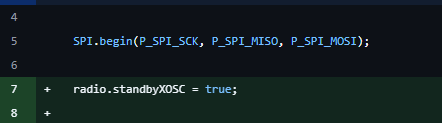

Optional, but recommended:
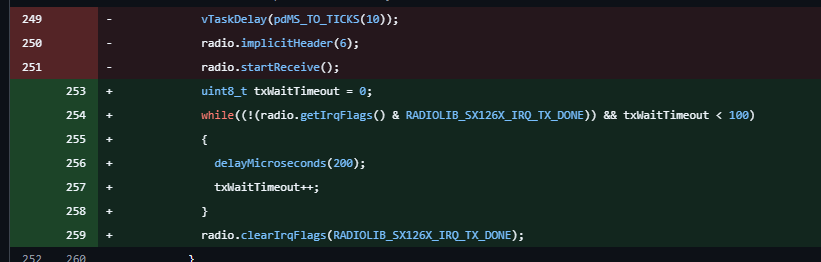
2 Likes
Thanks for the info.
Getting my TX to talk to USB is always sketchy.
And my RX is built into the board and not that easy to reach.
Not a big deal, but I will have to remember to only do updates if I can get all parts done in time and not to flash the latest firmware on my new replacement TX.
1 Like
I had this problem recently too
Then I remembered that the Tx shuts off UART if the charger is not connected at startup
So I recommend:
- Clean contacts
- Let USB mag. connector snap into place
- Check if computer recognizes USB device
- Only then turn on remote
Well, updating Tx and Rx or not, you will always be the first to lose connection with an non-updated Rx  So there is no downside in updating all Txs you have, even if the Rx updates only follow later. Just don’t update the Rx first…
2 Likes
Ok, got it, sorry for the confusion.
Updating TX is safe, update RX only when TX has the update installed.
2 Likes
Hi @ludwig_bre I am trying to connect a makerx dual vesc (d100s), and the controller instructions say to only connect one side, as the slave motor will connect internally. Is this correct and should I connect pwm to the sig cable? showing a claude generated pic below for inspo only…
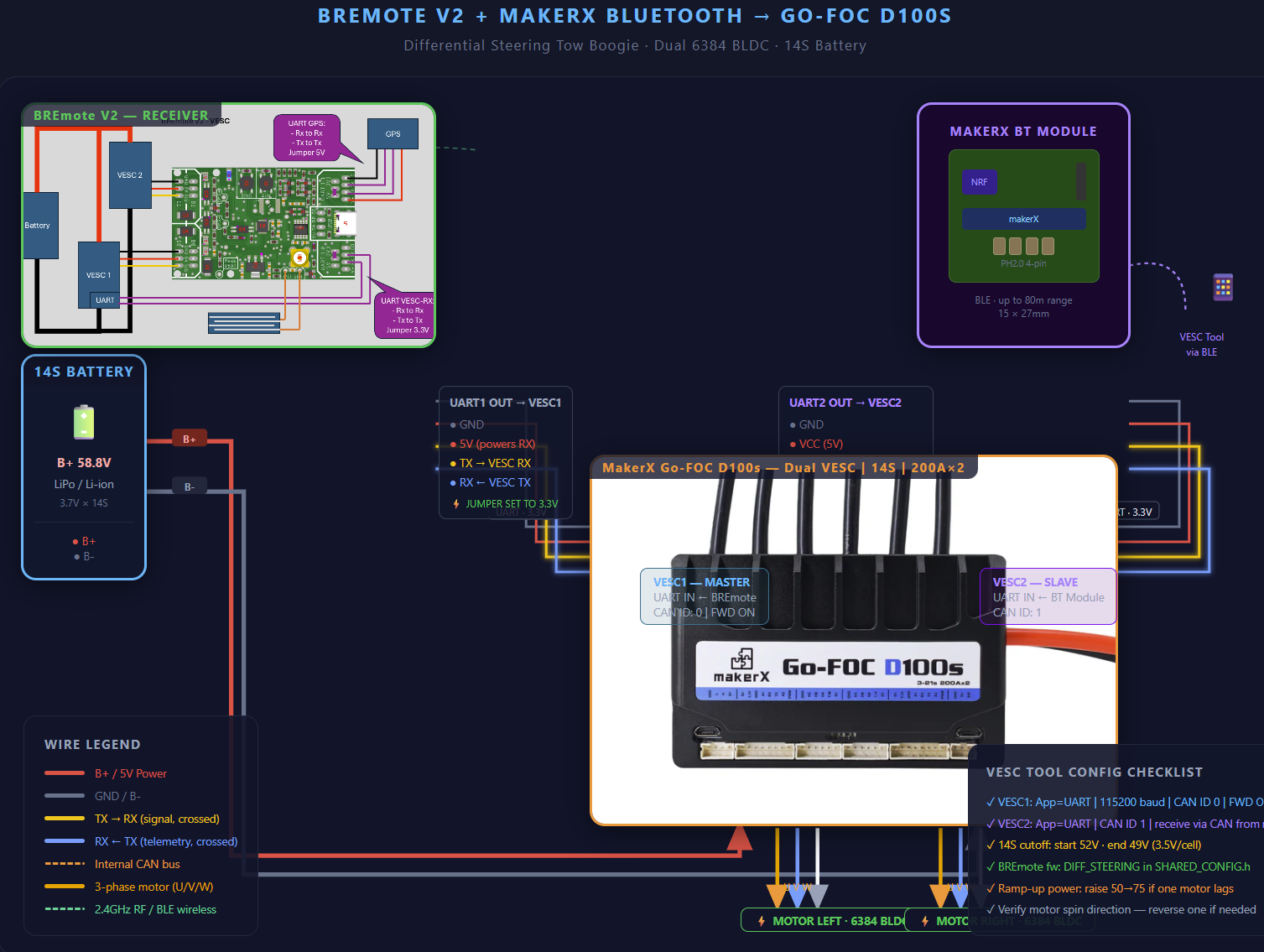
Connect all 3 wires (5V, GND, Signal) of both “PWM signal cables” to both outputs of the Rx, additionally connect UART Rx and TX only, so exactly like on BREmote GitHub.
1 Like
hello ludwig the pourcentage display is the remote battery or the boogie battery ?
The battery that’s connected to the Rx, so the battery of your foil or tow boogie
1 Like
Update on that update:
- Added collision detection also to Rx_LOGGER
- Fixed vibration motor of Tx not working - forgot to re-enable after debugging sth.
No need to update “normal” Rx (without logging, if it is at 2.2.7.1 already)
3 Likes
Works flawless so far for me 
1 Like