I have NOT upgraded the receiver firmware as the version I’m running on the actual handheld did not require that.
What problem are you encountering?
I have NOT upgraded the receiver firmware as the version I’m running on the actual handheld did not require that.
What problem are you encountering?
When I try to install firmware for RX Remote Update Tool displays the message “download the correct firmware version.” I’ve tried all firmware versions, but the result is the same. The remote itself is running the latest firmware version.
Wish I could provide some guidance but not having done this myself it wouldn’t be credible.
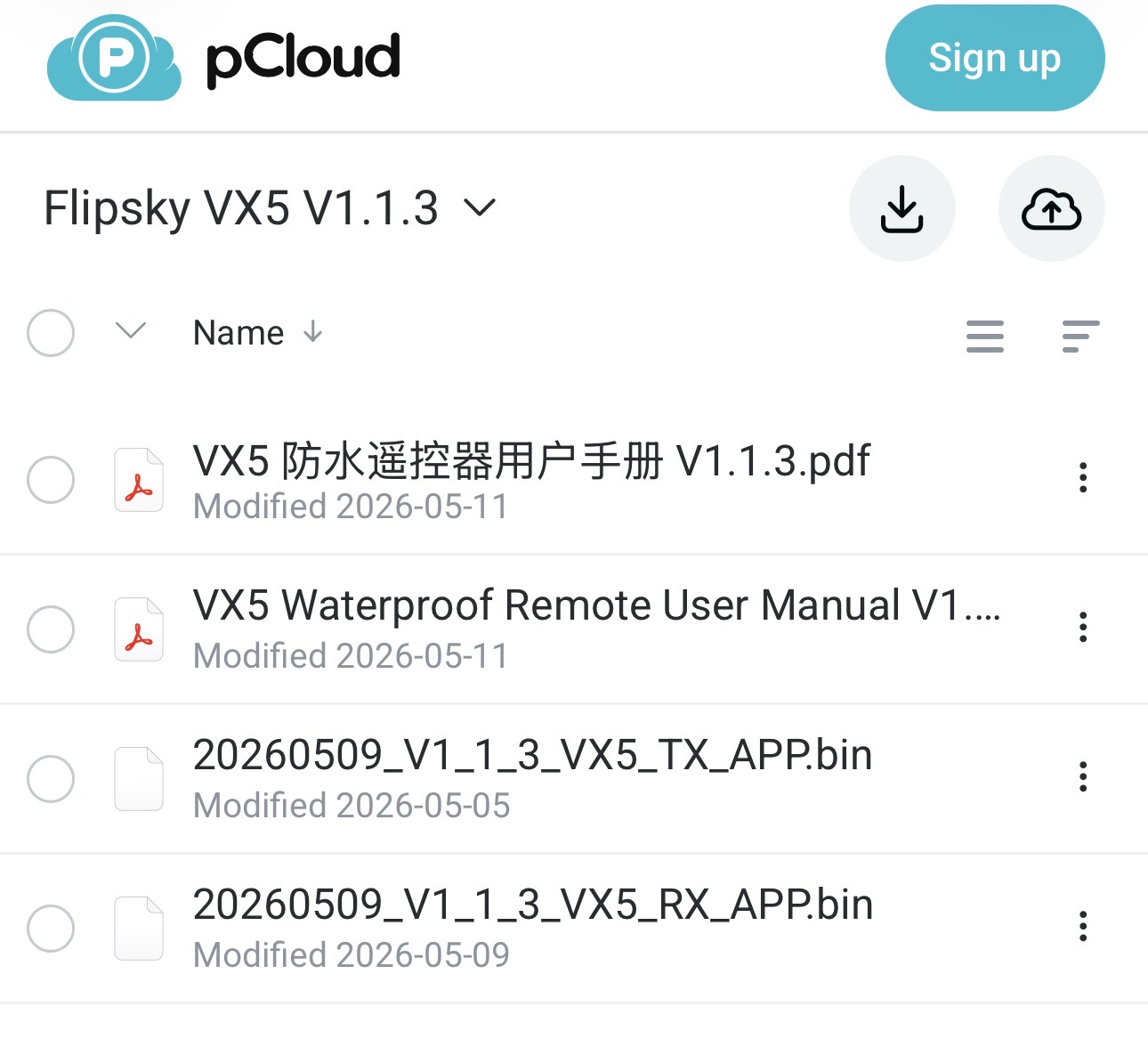
I assume this is the version you are trying to get working
Maybe install the version before this one and if successful try the newer version again.
Firmware updates have always been potentially troublesome. 
I’ve done all updates. There both an RX file and a TX file. Use the RX file. Follow the steps described in the manual, and you should be fine with the firmware tool from Flipsky. You have to get the receiver in IAP mode too.
I followed the documentation. First, I flashed the remote. Then I switched the receiver to IAP mode. No results. What firmware version do you have for your remote?
I already wrote that I tried to use all existing firmware versions
Im on the 1.1.3. Same for the receivers. Weird that it does not work for you. Had no issues with both remotes. If you are 100% you followed the correct procedure described in detail in the newest manual (within the 1.1.3. folder), then I suggest you talk to flipsky. Both remotes for me had no issues.
I have a problem with one of the vx5 controllers. PPM2 stopped working (
That sounds more like a receiver issue than the controller.
Absolutely. And I’ve already ordered a new receiver.
Hi,
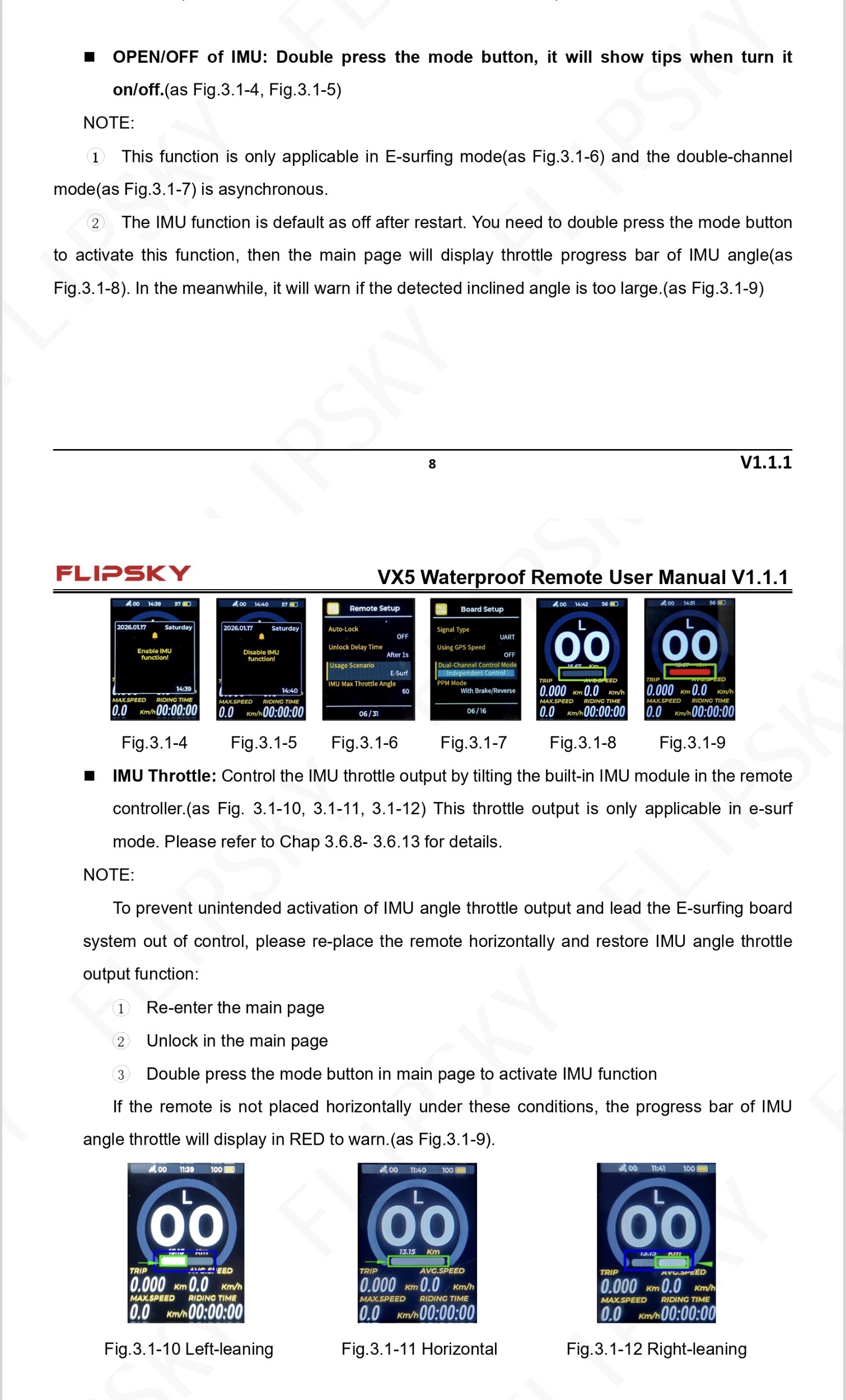
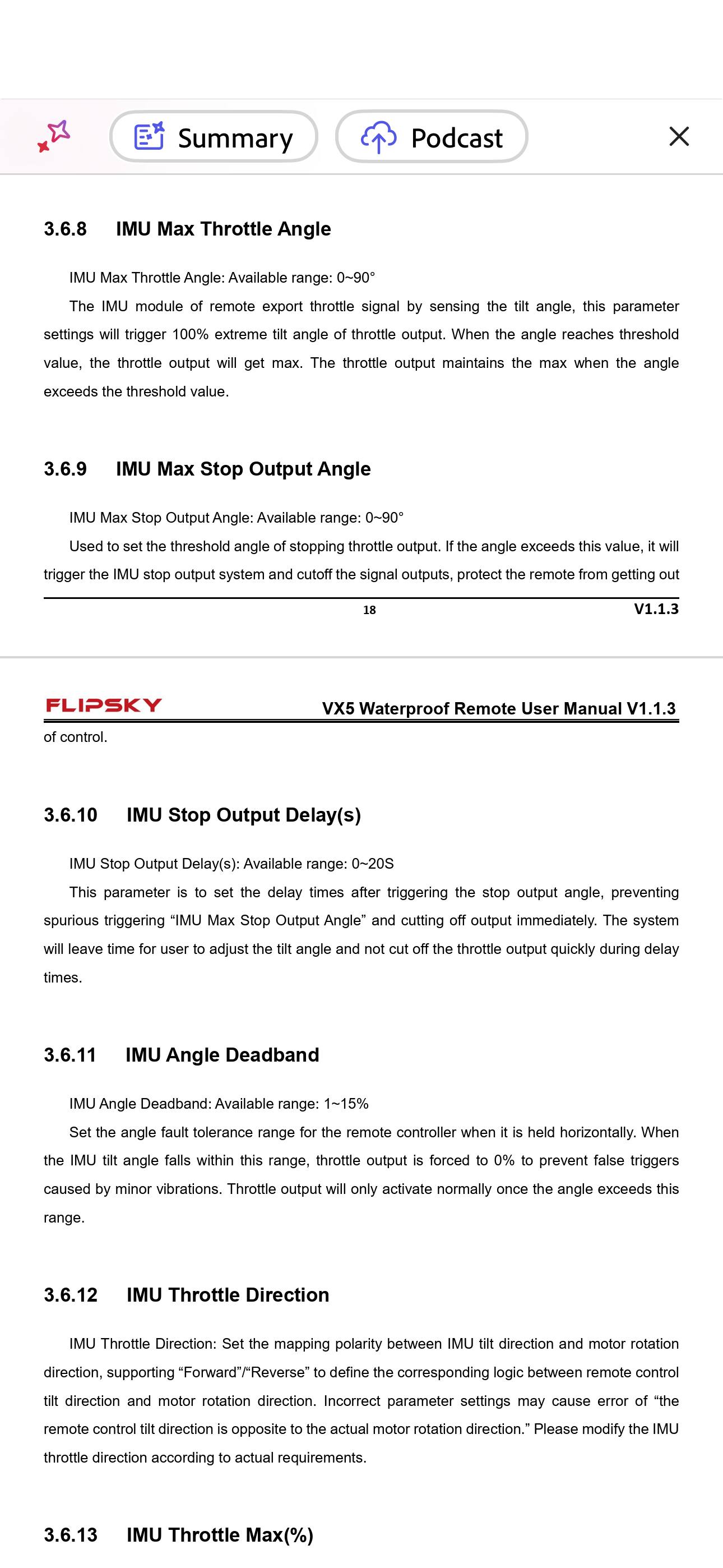
Did you manage to figure out the IMU settings?
I received it today, I was able to get it working, but the IMU remains a mystery to me for now.
Hi. Disabled it.
It’s only useful I think with dual motors.
I thought so too, but I can’t find where or how…
I’ve generally figured out how it works, but there are still some oddities and subtleties missing. What’s your problem, exactly?
So far I have no problem…
I couldn’t find where it disable.
I left it in the condition I received it and I don’t see a problem for now. But I’ve only done dry tests…
Thanks for the reference, I’ll take my time and play around with the settings.
AI Overview
An IMU stands for Inertial Measurement Unit. In the context of Flipsky remote controls (such as the VX5), an IMU is an onboard sensor that tracks the tilt, orientation, and movement of the remote itself. [1, 2]
How the IMU Works in Flipsky Remotes
IMU in the Broader VESC Ecosystem
While the remote has its own IMU, Flipsky speed controllers (ESCs based on the VESC open-source software) also rely on IMU technology. In an electric skateboard, for instance, an IMU mounted on the board can detect when the deck is tilting or experiencing heavy acceleration. This data is fed through a UART connection to balance the vehicle or assist with dynamic motor control. [1, 2, 3, 4, 5]
I have not tried using the IMU function myself but I’m pretty sure this is NOT accurate. From the documentation the VX5 works only by “tilting” the remote left and right from horizontal NOT forward and backward.
AI Is great if you already know the answer😀 but IMO it should not be used to post here as “how to” fact.
I had a little issue with my VX5 yesterday and would like to know if anyone else has had the issue.
I started my session as always by laying flat on board, power on remote, unlock and start moving. Near the end of the session I glanced at the screen to see what the trip distance was and saw the speed readout as 00. This is when it should read somewhere in the high 20’s (kmh). The trip counter was just slightly over 1km so I assume the readouts were accurate at the beginning and then for some unknown reason stopped. The odd part was the session was completely normal and in the same location as the majority of my rides.
I stopped the board, power cycled the VX5 and everything on the readout worked as normal.